
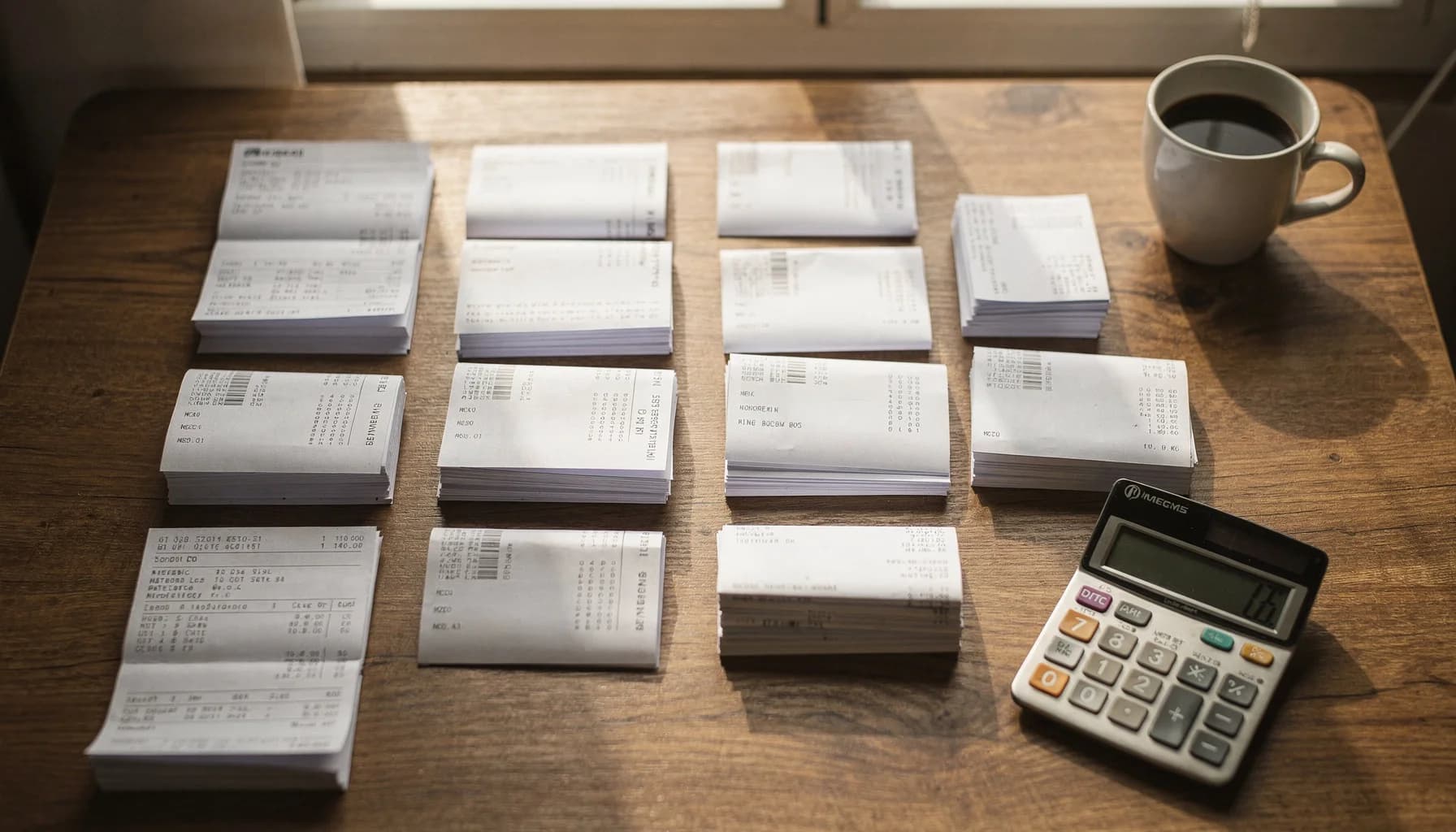
Nomeação de documentos para contadores
Pare de renomear faturas manualmente — AI para escritórios de contabilidade e guarda-livros
Seja você um guarda-livros autônomo ou um escritório de contabilidade com 50 pessoas, a AI extrai fornecedor, data, valor e número da fatura de cada documento. 1.200 arquivos renomeados em menos de 3 minutos.
*Com base em 500 documentos/mês a 2 minutos por renomeação manual
Contadores · Nomeação de faturas
Renomeie faturas automaticamente usando AI que extrai fornecedor, data, valor e número da fatura de PDFs e documentos do Office.
- Conecte Google Drive ou Dropbox — a AI processa as faturas conforme chegam de clientes e fornecedores.
- Nome do fornecedor, número da fatura, data e valor codificados em cada nome de arquivo automaticamente.
- Modelos de nomeação por cliente salvos e reutilizados mensalmente. Sem necessidade de reconfiguração.
Escritórios de contabilidade processam mais de 1.200 faturas em menos de 3 minutos com 95%+ de precisão de extração.
Your client folder today vs. tomorrow
Every accounting practice drowns in unlabeled invoices and receipts. AI reads each document and extracts vendor, date, amount, and invoice number automatically.
Before — your inbox right now
scan_042.pdfNo one knows what this is without opening it
Invoice (3).pdfWhich vendor? Which client? Which month?
IMG_4421.pdfA receipt? An invoice? A statement?
Acme invoice FINAL.pdfNo date, no amount — useless for sorting
receipt.pdfOne of 47 files named "receipt.pdf"
Average time to find a specific invoice: 3–5 minutes of searching, opening, closing.
After — 3 minutes with Renamed.to
2026-01-15_AcmeCorp_INV-4421_$2450.pdfVendor, date, invoice number, amount — all searchable
2026-01-12_HomeDepot_Receipt_$847.pdfReceipt with vendor and amount, instantly findable
2026-01_Chase_Statement_****4521.pdfBank statement with month and last-4 account digits
2026-01-10_ClientABC_Payroll_Jan.pdfPayroll file organized by client and period
2026-01-08_Vendor123_CreditMemo_$-150.pdfCredit memos flagged with negative amounts
Time to find any invoice: type 3 letters in your file browser. Done.
From inbox chaos to client-ready files
AI handles the tedious extraction work. You review, approve, and move on.
Documents arrive
Invoices, receipts, and statements land in your inbox — from clients, vendors, and bank portals.
scan_042.pdfInvoice (3).pdfIMG_4421.pdfAI extracts fields
OCR reads vendor name, invoice number, date, and amount from the document content automatically.
Vendor: Acme CorpAmount: $2,450.00Date: 2026-01-15Preview & approve
Review every suggested filename with confidence scores. Bulk-approve high-confidence batches.
95% confidenceSide-by-side previewOne-click approveClient-ready files
Clean filenames following your naming convention. Ready for GL upload, client delivery, or archive.
2026-01-15_AcmeCorp_INV-4421_$2450.pdfUse case example
"We stopped dreading month-end close"
A 4-person bookkeeping firm was spending 6+ hours every month renaming invoices and receipts from 23 small business clients. Each client had different naming preferences. Junior staff made frequent mistakes.
After connecting their shared Google Drive, they set up per-client naming templates once. Now invoices are processed automatically as they arrive — vendor, date, amount, and invoice number extracted and encoded into each filename.
Month-end close went from a weekend of catch-up to a 2-hour review session. The senior partner now focuses on advisory work instead of file management.
Illustrative example based on typical bookkeeping workflows. Individual results vary based on client volume, document complexity, and existing processes.
6.7 hrs
Saved monthly
23
Clients managed
1,200+
Docs/month processed
95%+
Auto-approved
Organização de documentos na temporada de impostos
Clientes despejam centenas de recibos, W-2s e 1099s em uma pasta compartilhada. A AI os classifica e renomeia por categoria fiscal — antes mesmo de você abrir a pasta.
Antes
IMG_2847.jpg
Depois
2025_W2_AcmeCorp_JohnSmith.pdf
Antes
scan003.pdf
Depois
2025_1099-NEC_FreelanceDesign_$12,400.pdf
Antes
receipt_photo.jpg
Depois
2025-03-15_Receipt_OfficeDepot_$247.89_Supplies.pdf
Antes
document(1).pdf
Depois
2025_1098-E_StudentLoan_Interest_$2,100.pdf
Antes
bank_stmt.pdf
Depois
2025-Q4_BankStatement_Chase_Business.pdf
Antes
photo_2025_03.heic
Depois
2025_PropertyTax_123MainSt_$4,200.pdf
Exemplos de padrões de nomeação para documentos contábeis
Estes são exemplos de padrões de nomeação que a AI gera para documentos contábeis comuns. Salve seus padrões preferidos e reutilize-os mensalmente.
Faturas
YYYY-MM-DD_{Vendor}_INV-{Number}_${Amount}.pdfExtrai fornecedor, data, número da fatura e valor. Funciona com exportações do QuickBooks e uploads de digitalizações.
Recibos
YYYY-MM-DD_{Vendor}_Receipt_${Amount}.pdfPerfeito para recibos de cartão de crédito e confirmações por email. Extração automática de data e valor.
Extratos bancários
YYYY-MM_{Client}_{Bank}_Statement.pdfMantenha os códigos de conta consistentes por cliente. Perfeito para fluxos mensais de fechamento.
Folha de pagamento
YYYY-MM_{Client}_Payroll_{Period}.pdfOrganize documentos de folha de pagamento por cliente, mês e período de pagamento automaticamente.
Documentos fiscais
{TaxYear}_{FormType}_{Source}_{Description}.pdfOrganize W-2s, 1099s, 1098s e outros formulários fiscais por ano e tipo. Perfeito para fluxos de preparação de impostos.
Relatórios de despesas
YYYY-MM-DD_{Employee}_{Category}_{Amount}.pdfAcompanhe despesas de funcionários por data e categoria. Extração automática de valores para conciliação.
Por que contadores escolhem o Renamed.to
Criado especificamente para documentos contábeis em comparação com renomeação manual ou ferramentas genéricas de arquivos.
| Recurso | Renamed.to | Manual | Ferramentas genéricas |
|---|---|---|---|
| Extrai fornecedor, data, valor, nº da fatura | |||
| Funciona com PDFs digitalizados (OCR) | |||
| Modelos de nomeação por cliente | |||
| Lotes de 1.000+ documentos em menos de 3 min | |||
| Funciona com Google Drive e Dropbox | |||
| Prévia de confiança antes de aplicar | |||
| Desfazer com um clique (originais intactos) | |||
| Integração com QuickBooks/Xero (via Zapier) |
Calcule sua economia de tempo
Ajuste os controles para corresponder ao seu volume mensal de documentos. Veja o que sua equipe recupera.
Based on manual rename time of 20s per document. Actual savings vary by document complexity and naming convention.
Segurança pensada para documentos de clientes
Segurança desenvolvida para documentos financeiros sensíveis.
Criptografia e residência
TLS 1.3 em trânsito, AES-256 em repouso. Hospedado em data centers certificados ISO na UE.
Acesso e auditoria
Entre com Google ou Microsoft. Cada acesso a arquivo, renomeação e aprovação é registrado com atribuição completa.
Controles de qualidade
Cada renomeação mostra uma pontuação de confiança. Visualize lado a lado antes de aplicar. Desfaça com um clique — os originais nunca são modificados nem excluídos.
Arquivos armazenados temporariamente durante o processamento (menos de 10 minutos) e depois excluídos. Remova os dados de nomes de arquivos a qualquer momento no seu painel. Documentação completa de segurança →
Perguntas frequentes
Como renomeio faturas automaticamente?
Conecte sua pasta do Google Drive ou Dropbox, adicione suas faturas, e o Renamed.to extrai nome do fornecedor, número da fatura, data e valor automaticamente usando AI e OCR. Visualize cada nome de arquivo sugerido com pontuações de confiança e depois aprove o lote. Mais de 1.200 faturas renomeadas em menos de 3 minutos.
Qual é a precisão da extração de faturas?
Entregamos 95%+ de precisão de extração em formatos comuns de fatura (testes de set. 2025, n=250+). Cada renomeação mostra uma pontuação de confiança. O modo de prévia permite verificar cada nome de arquivo sugerido antes de aplicar. A AI funciona com modo Auto, mais de 50 modelos comuns ou padrões personalizados definidos por você.
Vocês substituirão meus arquivos originais?
Não. O Safe-Rename grava novos arquivos ao lado dos seus originais e os mantém intactos. Você pode desfazer qualquer lote com um clique. Os originais nunca são modificados nem excluídos.
Funciona com faturas digitalizadas?
Sim. Nosso mecanismo de OCR processa PDFs digitalizados, PDFs digitais e documentos baseados em imagem. Recomenda-se 300+ DPI para melhor precisão. Funciona com faturas, recibos, extratos bancários e a maioria dos documentos contábeis.
Posso salvar regras de nomeação por cliente?
Sim. Salve modelos de nomeação e reutilize-os todos os meses. Os modelos aceitam campos dinâmicos como {Vendor}, {InvoiceNumber}, {Amount}, {Date} e mais. Sem necessidade de reconfiguração de um mês para o outro.
Integra com QuickBooks ou Xero?
Sim, via Zapier e n8n. PDFs renomeados podem ser anexados automaticamente a contas, despesas e faturas no QuickBooks Online/Desktop e Xero. Conecte seu software contábil por meio de plataformas de automação para um fluxo contínuo.
Quanto custa?
Grátis para até 50 documentos por mês. Depois, pacotes de créditos pay-as-you-go: $9 por 1.000 documentos ($0.009 por arquivo) ou $49 por 10.000 documentos ($0.0049 por arquivo). Preços por volume disponíveis para escritórios que processam mais de 2.000 documentos por mês. Não é necessário cartão de crédito para começar.
Como escritórios de contabilidade lidam com o caos de documentos na temporada de impostos?
Conecte sua unidade compartilhada e adicione a pasta inteira do cliente — W-2s, 1099s, 1098s, recibos e extratos bancários. A AI identifica cada tipo de formulário, extrai ano fiscal e valores, e renomeia cada arquivo com uma nomenclatura consistente. A organização de pastas por cliente significa que os documentos de cada cliente são classificados automaticamente. O processamento em lote lida com centenas de documentos em minutos, não horas. A nomenclatura consistente também ajuda com os requisitos de retenção do IRS — a Publication 583 recomenda manter registros fiscais por pelo menos 3 anos e até 7 anos para certas deduções.
Guarda-livros podem configurar regras de nomeação diferentes para cada cliente?
Sim. Salve um modelo de nomeação por cliente com campos personalizados como {Vendor}, {Amount}, {InvoiceNumber} e {Date}. Depois de configurado, o mesmo modelo é aplicado automaticamente em cada ciclo mensal de fechamento. A AI reconhece variações comuns do nome do fornecedor no texto do documento. Sem necessidade de reconfiguração de um mês para o outro.
Resultados de equipes de contabilidade
faturas processadas por lote por escritórios de contabilidade típicos
economizadas por mês em nomeação e arquivamento de documentos
precisão de extração em formatos comuns de fatura
Pronto para parar de renomear faturas manualmente?
Conecte sua unidade compartilhada, adicione seu primeiro lote e veja nomes de arquivos limpos em menos de 3 minutos.
50 documentos/mês grátis · Sem cartão de crédito · Originais nunca modificados
Continue explorando
Descubra soluções, casos de uso e recursos relacionados