leadtext
leadtext
leadtext

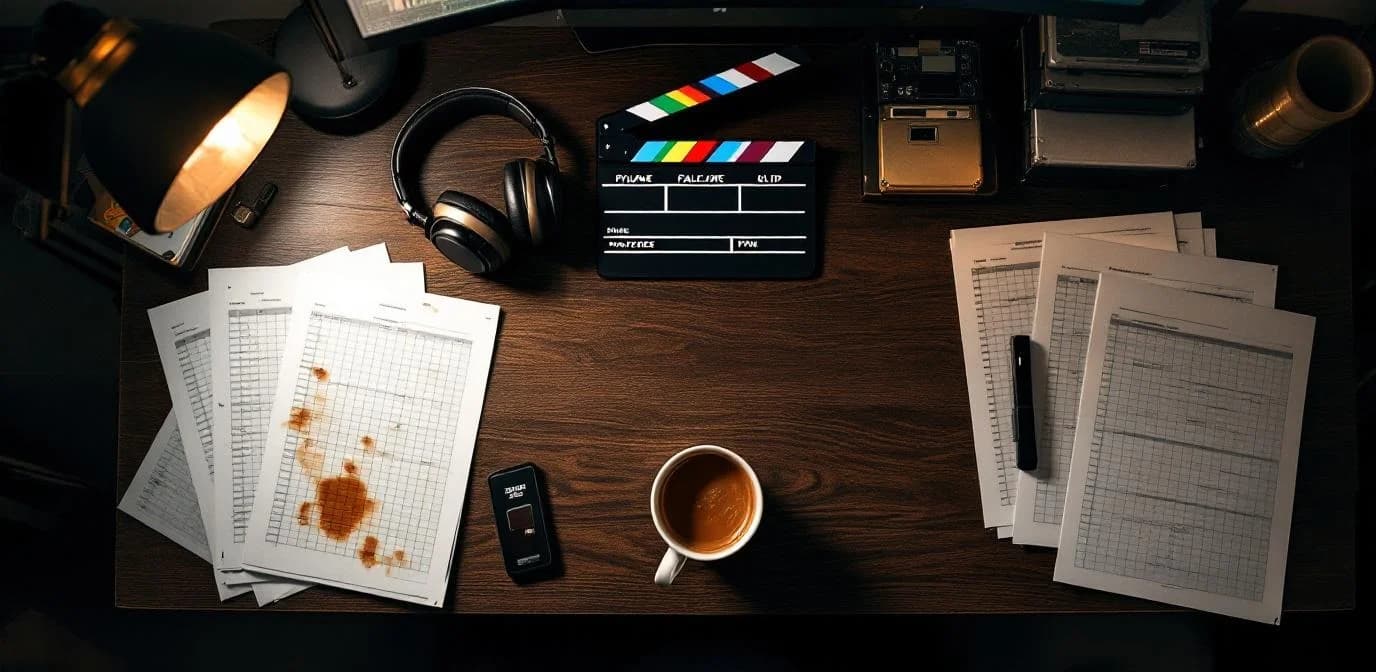
영화 및 미디어 제작용 파일명 지정
모든 샷 로그, 콜 시트, 납품 파일을 정확히 이름 붙이고 즉시 찾습니다
AI가 제작 문서에서 샷 코드, 릴 번호, 코덱 형식을 읽습니다. 프로젝트당 2,000개 파일을 몇 분 만에 정리합니다.
영화 및 미디어 · 파일명 지정
샷 코드, 릴 번호, 코덱 형식을 읽는 AI로 제작 파일 이름을 자동으로 변경합니다.
- Google Drive 또는 Dropbox를 연결하면 현장에서 파일이 들어오는 즉시 AI가 처리합니다.
- 샷 코드, 릴 번호, 코덱 형식이 모든 파일명에 자동으로 반영됩니다.
- 배급사 인계를 위한 납품 패키지가 준비됩니다 — 마스터와 포맷 변환본이 미리 정리됩니다.
제작 팀은 프로젝트당 2,000개 이상의 파일을 95%+ 추출 정확도로 처리합니다.
Your project folder today vs. tomorrow
Every production drowns in camera auto-names and versionless files. AI reads each document and encodes shot codes, reel numbers, and codec formats into the filename.
Before — your project drive right now
DailyRoll_003.movNo project code, no camera, no date
VFX_Shot_FINAL_v2.exrWhich shot? Which project? "FINAL" is meaningless
SoundRoll_B.wavNo scene, no take, no timecode reference
MVI_4821.MP4Camera auto-name — could be any project, any day
Deliverable_revised.mxfRevised when? Which format? Which version?
Average time to find a specific file: 5–10 minutes of searching, opening, scrubbing.
After — minutes with Renamed.to
PRJ-NOVA_DLY_2026-01-15_A-Cam_R003.movProject, date, camera, reel — instantly sortable
PRJ-NOVA_VFX_SH040_v003_Rev-B.exrShot, version, revision — vendor-ready
PRJ-NOVA_SND_SC12-TK03_MixPre6_01:23:45.wavScene, take, recorder, timecode — sync-ready
PRJ-NOVA_B-Roll_2026-01-15_Drone_R001.MP4Type, date, source, reel — organized
PRJ-NOVA_DLVR_ProRes4444_4K_2026-01-20.mxfFormat, resolution, date — delivery-ready
Time to find any file: type 3 letters in your file browser. Done.
AI naming across every production phase
From pre-production scripts to final deliverables — files named correctly from the moment they arrive.
Pre-production
Scripts, call sheets, and contracts
Connect your shared drive. Drop scripts, storyboards, and call sheets into the inbox. AI reads project codes and episode numbers, encoding them into every filename before cameras roll.
Connect Drive or Dropbox → drop files → AI extracts project codes automatically.
Scripts, storyboards, call sheets, contracts, location agreements
Production
Dailies, sound rolls, and camera reports
AI reads shot codes, reel numbers, and scene/take references from dailies, camera reports, and sound logs as they arrive from set. Codec formats detected and encoded automatically.
Files arrive from set → AI reads slate logs → shot-code-aware naming applied instantly.
Dailies, camera reports, sound rolls, slate logs, continuity notes
Post-production
Deliverables, VFX plates, and final masters
Color-graded masters, VFX plates, sound mixes, and final deliverables — already named with project codes and format specs. No last-minute renaming before distributor handoff.
Post files already organized → export deliverable package → hand off to distributor.
VFX plates, color-graded masters, sound mixes, final deliverables, DCP packages
Production Metadata Recognition
AI detects and encodes production-specific metadata from slate logs, camera reports, and sound sheets automatically.
Use case example
How a mid-size production company could save 30+ hours per project
2,000+ files per project across camera, sound, VFX, and editorial departments. A production coordinator spends 30–40 hours per project just organizing and renaming files before editors, colorists, and sound designers can work. Wrong shot codes get pulled into edits. Deliverables can't be found by format during final delivery.
Connect project shared drives. AI reads shot codes from slate logs, detects codec formats, and encodes reel numbers into every filename. Dailies searchable by camera and date, VFX plates organized by shot and version, deliverables indexed by format and resolution.
Expected benefits:
- 30–40 hours saved per project — coordinator focuses on production logistics, not file cleanup
- Version control built into filenames — Rev A/B/C tracked automatically, no more pulling superseded VFX plates
- Deliverable packages ready for handoff — masters and format conversions pre-organized by distributor specs
Illustrative example based on typical mid-size production company workflows. Individual results vary based on project volume, file complexity, and existing processes.
2,000+
Files per project
30–40 hrs
Coordinator time saved
8
Department team size
~420%
Estimated ROI
영화 및 미디어 제작용 파일명 템플릿
제작 현장에서 검증된 패턴으로 시작하거나 프로젝트별로 맞춤 설정할 수 있습니다. 템플릿을 저장하고 여러 제작에 재사용할 수 있습니다.
데일리
PRJ-{Code}_DLY_{Date}_{Camera}_{Reel}.{ext}일일 카메라 촬영본을 촬영 날짜, 카메라, 릴 번호별로 정리합니다.
VFX 플레이트
PRJ-{Code}_VFX_{Shot}_{Version}_Rev-{Letter}.{ext}버전과 리비전으로 VFX 샷을 추적합니다. 벤더 인계를 위한 컴포지팅 준비형 파일명입니다.
사운드 롤
PRJ-{Code}_SND_{Scene}-{Take}_{Recorder}_{TC}.wav사운드 롤에 씬, 테이크, 레코더, 타임코드를 태그해 싱크에 활용합니다.
최종 납품물
PRJ-{Code}_DLVR_{Format}_{Resolution}_{Date}.{ext}납품물을 형식, 해상도, 납품 날짜별로 정리합니다.
제작 팀이 Renamed.to를 선택하는 이유
수동 파일명 변경이나 범용 파일 도구와 비교해 제작 파일에 맞게 설계되었습니다.
| 기능 | Renamed.to | 수동 | 범용 도구 |
|---|---|---|---|
| 슬레이트 로그에서 샷 코드 읽기 | |||
| 릴 번호 및 씬/테이크 인코딩 | |||
| 코덱 형식 감지 (ProRes, DNxHR) | |||
| 프로젝트당 2,000개 이상 파일 일괄 처리 | |||
| Google Drive 및 Dropbox와 작동 | |||
| 적용 전 신뢰도 미리보기 | |||
| 원클릭 실행 취소 (원본 유지) | |||
| 프로젝트별 파일명 템플릿 |
절감 시간을 계산해 보세요
슬라이더를 조정해 프로젝트 파일 수량에 맞추세요. 팀이 얼마나 시간을 되찾는지 확인할 수 있습니다.
Files per project
2000Seconds saved per file
20sHourly rate (USD)
$65Average 15–30 seconds saved per production file. Based on typical post-production workflows.
Time saved per project
11.1
hours
Cost savings per project
$722
at $65/hr labor cost
제작 파일을 위한 보안
민감한 제작 자산을 위한 엔터프라이즈급 암호화, 접근 제어, 감사 추적을 제공합니다.
암호화 및 데이터 위치
전송 중 TLS 1.3, 저장 시 AES-256을 사용합니다. EU 데이터 센터(Hetzner, 독일)에서 SOC 2 통제를 적용합니다 (감사 미실시). 키는 분기별로 교체됩니다.
접근 및 감사
Google Workspace 또는 Microsoft 365를 통한 2FA 및 SSO를 지원합니다. 역할 기반 권한을 제공합니다. 모든 파일 접근, 이름 변경, 승인은 전체 귀속 정보와 함께 기록됩니다.
품질 통제
모든 이름 변경에는 신뢰도 점수가 표시됩니다. 적용 전에 나란히 미리 볼 수 있습니다. 원클릭 실행 취소를 지원하며 원본은 절대 수정되거나 삭제되지 않습니다. 감사 추적은 CSV로 내보낼 수 있습니다.
파일은 처리 중에만 임시 저장되며 (10분 미만) 이후 삭제됩니다. 대시보드에서 파일명 데이터를 언제든지 삭제할 수 있습니다. 전체 보안 문서 →
자주 묻는 질문
AI는 제작 문서에서 샷 코드를 어떻게 읽나요?
당사의 AI는 OCR과 문서 인텔리전스를 사용해 슬레이트 로그, 콜 시트, 카메라 리포트에서 샷 코드, 릴 번호, 씬/테이크 참조, 코덱 정보를 추출합니다. 스캔된 PDF, 디지털 문서, 스프레드시트 내보내기 파일에서 작동합니다. 테스트된 제작 문서 유형에서 95%+ 정확도를 보입니다.
여러 카메라 포맷을 처리하나요?
예. AI는 ProRes, DNxHR, ARRIRAW, RED R3D를 포함한 일반적인 제작 코덱과 포맷을 인식합니다. 포맷 정보는 파일명에 자동으로 반영되므로 포스트 팀은 파일을 열지 않고도 코덱별로 필터링할 수 있습니다.
VFX 플레이트의 버전 추적은 어떻게 작동하나요?
AI는 문서 헤더와 파일명에서 버전 번호와 리비전 문자를 감지합니다. 각 리비전은 새 파일명에 반영됩니다. 새 버전이 들어오면 시스템이 이전 버전을 표시하므로 팀은 항상 최신 플레이트로 작업할 수 있습니다.
Frame.io 또는 Shotgrid와 연동되나요?
아직 직접 연동되지는 않습니다. Renamed.to는 Frame.io와 Shotgrid가 동기화하는 파일 저장 계층인 Google Drive 및 Dropbox와 작동합니다. 공유 드라이브에서 파일을 처리하면 기존 동기화를 통해 프로젝트 관리 도구로 다시 반영됩니다.
부서별로 각자 다른 파일명 규칙을 사용할 수 있나요?
예. 맞춤 템플릿으로 부서별 폴더를 설정할 수 있습니다. 카메라, 사운드, VFX, 편집 부서는 각각 자체 파일명 패턴을 사용할 수 있습니다. 각 부서의 받은 편지함에 파일이 도착하는 즉시 자동으로 처리됩니다.
납품 패키지는 어떻게 처리하나요?
최종 편집본, 색보정 마스터, 사운드 믹스, 포맷 변환본 같은 납품 파일은 제작 전 과정에서 이미 프로젝트 코드와 포맷 사양이 포함된 이름으로 정리됩니다. 납품 시에는 배급사나 방송사가 요구하는 방식 그대로 구성된 정돈된 패키지를 내보낼 수 있습니다.
비용은 얼마인가요?
월 최대 50개 문서까지 무료입니다. 이후에는 종량제 크레딧 팩을 사용합니다: 1,000개 문서에 $9 ($0.009/파일) 또는 10,000개 문서에 $49 ($0.0049/파일)입니다. 프로젝트당 2,000개 이상 파일을 처리하는 제작사를 위한 볼륨 요금도 제공됩니다. 시작하는 데 신용카드는 필요하지 않습니다.
편집실에서
제작 팀의 이야기
카메라 롤 14개와 VFX 플레이트 200개가 있었지만 일관된 파일명이 없었습니다. 이제 모든 파일이 올바른 샷 코드와 버전으로 들어옵니다. 편집자가 더 이상 “최신본이 뭐죠?”라고 묻지 않습니다.
포스트 제작 디렉터
독립 장편 영화
프로젝트당 35시간 절감
방송사 납품 준비에 팀이 예전에는 3일 동안 파일명 변경을 해야 했습니다. 이제는 반나절이면 패키지가 준비됩니다. 납품 코디네이터가 매우 만족했습니다.
포스트 슈퍼바이저
에피소드 TV
3일 → 4시간
씬과 테이크가 태그된 사운드 롤 덕분에 믹싱 과정에서 큰 도움이 됐습니다. 폴더를 일일이 뒤지는 대신 Scene 12의 모든 테이크를 몇 초 만에 찾았습니다.
사운드 디자이너
다큐멘터리
프로젝트당 파일 2,000개 이상
제작 파일을 정리할 준비가 되셨나요?
공유 드라이브를 연결하고 첫 배치를 넣으면 몇 분 안에 정돈된 파일명을 확인할 수 있습니다.
월 50개 문서 무료 · 신용카드 불필요 · 원본은 절대 수정되지 않음
계속 살펴보기
관련 솔루션, 사용 사례, 리소스를 확인해 보세요