
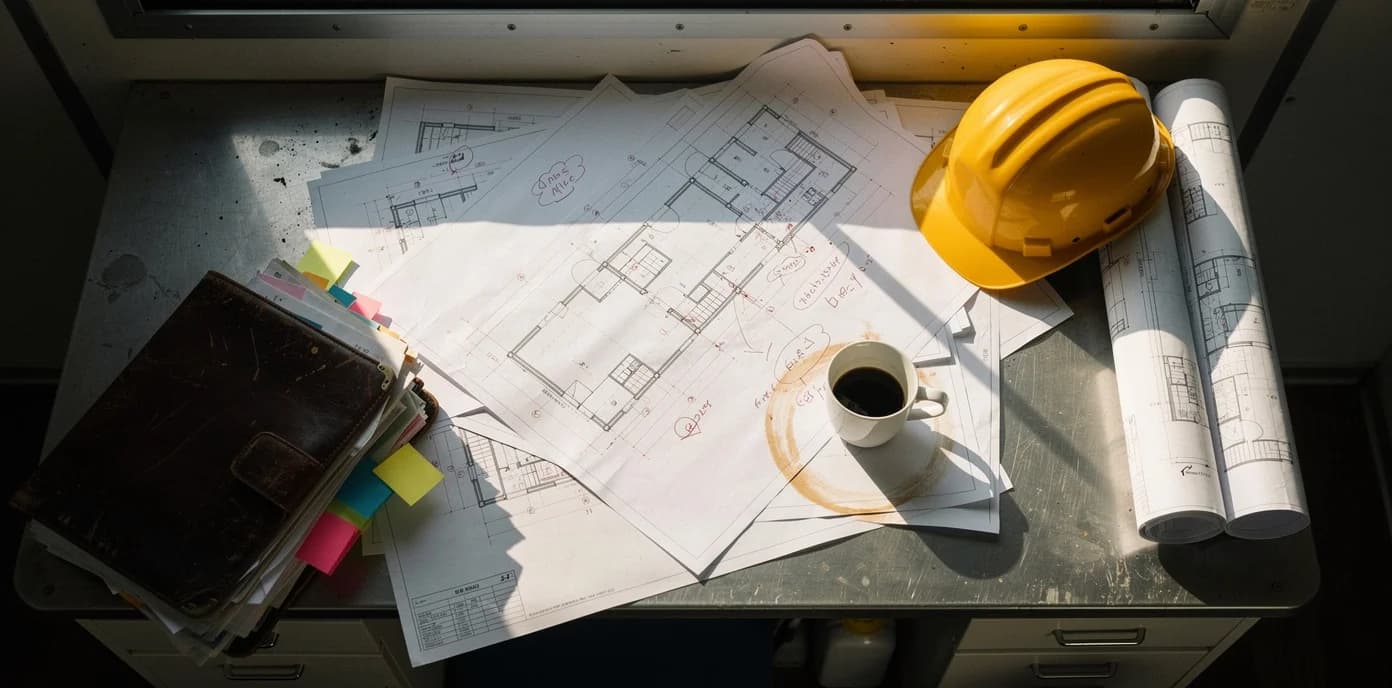
Document naming for construction
Every permit, RFI, and change order — named right, filed right
AI extracts project numbers, revision markers, and specification references from your documents. 500 documents, 3 minutes.
Construction · Document Naming
Automatically rename construction documents using AI that extracts project numbers, revision markers, and specification references.
- Connect Google Drive or Dropbox — AI processes files as they arrive from subs and inspectors.
- Project numbers, specification references, and revision markers extracted and encoded into filenames automatically.
- Closeout packages turnover-ready — O&M manuals, as-builts, and warranties pre-organized by trade. Supports naming patterns aligned with ISO 19650 information management standards.
Construction teams process 500+ documents in under 3 minutes with 95%+ extraction accuracy.
US construction loses $31 billion annually to rework caused by wrong drawings and outdated documents (FMI/Autodesk). Consistent document naming is the first line of defense.
Your project folder today vs. tomorrow
Every construction project drowns in unlabeled files. AI reads each document and encodes project codes, CSI divisions, and revision letters into the filename.
Before — your inbox right now
scan_042.pdfNo one knows what this is without opening it
RFI response (2).pdfWhich RFI? Which revision? From which sub?
IMG_8841.pdfA site photo? Inspection report? Daily log?
Change Order FINAL_v3.pdf"FINAL" means nothing when there are five of them
Specs - updated.pdfUpdated when? By whom? Which sections changed?
Average time to find a specific document: 4–8 minutes of searching, opening, closing.
After — 3 minutes with Renamed.to
PRJ-2847_RFI-031_Mechanical_Rev-B.pdfProject code, RFI number, trade, revision — all searchable
PRJ-2847_CO-008_Div26-Electrical_$12,450.pdfCSI division encoded, dollar amount indexed for disputes
PRJ-2847_SUB-Div23_HVAC-Ductwork_Rev-A.pdfSubmittal filed by spec section, revision tracked
PRJ-2847_INSP_2026-01-15_Structural_Pass.pdfInspection type and result in the filename
PRJ-2847_DailyLog_2026-01-15_Site-A.pdfDate and site location, instantly sortable
Time to find any document: type 3 letters in your file browser. Done.
Real document types
How AI transforms construction filenames
Every document type gets project codes, tracking numbers, and trade context encoded automatically. Here is what that looks like across the documents your team handles daily.
RFIs
IMG_4521.pdfPRJ-2847_RFI-042_ElectricalPanel_Response.pdfAI reads the RFI number and subject from document text and encodes them in the filename.
Submittals
scan_20260315.pdfPRJ-2847_SUB-118_Div26_Switchgear_Rev-B.pdfAI reads the CSI division, product name, and revision letter from the document.
Change Orders
document(3).pdfPRJ-2847_CO-009_HVAC_Ductwork_$47,200.pdfAI reads the trade, scope description, and dollar amount from the change order.
Daily Reports
photo_report.pdfPRJ-2847_DAILY-20260315_Concrete_Pour_Level3.pdfDate, activity, and location extracted. Browse by work area or filter by activity type.
AI naming across every project phase
From preconstruction bids to closeout turnover — documents named correctly from the moment they arrive.
Preconstruction
Bids, permits, and contracts
Connect your shared drive. Drop bids, permits, and contracts into the inbox. AI reads project codes from title blocks and encodes them into every filename before ground breaks.
Connect Drive or Dropbox → drop files → AI extracts project codes automatically.
Bid packages, building permits, owner contracts, insurance certificates
Construction
RFIs, change orders, daily logs
AI reads project codes and CSI divisions from RFIs, change orders, submittals, and daily logs as they arrive from subs, architects, and inspectors. Revision letters are detected and encoded automatically.
Files arrive from subs → AI reads title blocks → revision-aware naming applied instantly.
RFIs, change orders, submittals, daily logs, inspection reports
Closeout
Turnover-ready in minutes
Punch lists, as-builts, warranties, and O&M manuals — already named by trade and spec section. No last-minute renaming marathon before owner handoff.
Closeout docs already organized → export turnover package → hand off to owner.
As-builts, O&M manuals, warranties, punch lists, lien waivers
CSI MasterFormat Recognition
AI detects and encodes CSI division numbers from submittals, specs, and title blocks automatically.
Use case example
How a mid-size GC could save 20+ hours monthly
800+ documents per month from subs, architects, and inspectors. A project coordinator spends 20–25 hours monthly just renaming files before anyone can search, file, or reference them. Wrong revision letters get built from. Change orders can't be found by CSI division during disputes.
Connect project shared drives. AI reads title blocks, detects CSI divisions and revision letters, encodes project codes into every filename. RFIs searchable by number, submittals filed by spec section, change orders indexed by trade and amount.
Expected benefits:
- 20–25 hours saved monthly — coordinator focuses on project management, not file cleanup
- Revision control built into filenames — Rev A/B/C tracked automatically, no more building from superseded drawings
- Closeout packages turnover-ready — O&M manuals, warranties, and as-builts already organized by trade and spec section
Illustrative example based on typical mid-size GC workflows. Individual results vary based on project volume, document complexity, and existing processes.
800+
Documents per month
20–25 hrs
Coordinator time saved
12
Project team size
~380%
Estimated ROI
Example naming patterns for construction documents
These are examples of naming patterns the AI generates for common construction document types. Customize the pattern to match your project standards.
Change orders
PRJ-{Code}_CO-{Number}_{Trade}_${Amount}.pdfTrack by project, trade, and dollar amount. CSI division encoded for financial reporting.
Plan revisions
PRJ-{Code}_DWG-{Sheet}_{Discipline}_Rev-{Letter}.pdfRevision letters detected from title blocks. Superseded versions flagged automatically.
RFIs
PRJ-{Code}_RFI-{Number}_{Subject}_{Status}.pdfSearch by number, subject, or status. Response pairs linked. Never lose an RFI again.
Inspection reports
PRJ-{Code}_INSP-{Date}_{Type}_{Result}.pdfOrganized by date and type. Pass/fail encoded for quick compliance filtering.
Submittals
PRJ-{Code}_SUB-{Number}_Div{CSI}_{Product}_Rev-{Letter}.pdfTrack submittals by spec section and revision. Resubmissions linked automatically. Status encoded for approval tracking.
Daily reports
PRJ-{Code}_DAILY-{Date}_{Activity}_{Location}.pdfPhotos, progress notes, and weather logs organized by date and work area. Searchable by activity type.
Why construction teams choose Renamed.to
Purpose-built for construction documents vs. manual renaming or generic file tools.
| Feature | Renamed.to | Manual | Generic Tools |
|---|---|---|---|
| Extracts project numbers and details from documents | |||
| Recognizes CSI division references in document text | |||
| Detects revision markers in documents | |||
| Batch 500+ docs in under 3 min | |||
| Works with Google Drive & Dropbox | |||
| Confidence preview before apply | |||
| One-click undo (originals untouched) | |||
| Per-project naming templates |
Calculate your time savings
Adjust sliders to match your monthly document volume. See what your team gets back.
Documents per month
800Seconds saved per file
25sHourly rate (USD)
$55Average 15–30 seconds saved per construction document. Based on typical GC workflows.
Time saved monthly
5.6
hours
Cost savings monthly
$308
at $55/hr labor cost
Security built for project documents
Security designed for sensitive project documents.
Encryption & residency
TLS 1.3 in transit, AES-256 at rest. Hosted on ISO-certified data centers in the EU.
Access & audit
Sign in with Google or Microsoft. Every file access, rename, and approval logged with full attribution.
Quality controls
Every rename shows a confidence score. Preview side-by-side before applying. One-click undo — originals are never modified or deleted.
Files stored temporarily during processing (under 10 minutes), then deleted. Purge filename data anytime from your dashboard. Full security documentation →
Frequently asked questions
How does AI read project codes from construction documents?
Our AI uses OCR and document intelligence to extract project codes, RFI numbers, revision letters, and CSI division numbers from title blocks, headers, and document metadata. It works with scanned PDFs, digital PDFs, and image-based documents. 95%+ accuracy on tested construction document types.
Does the AI recognize CSI MasterFormat divisions?
Yes. The AI recognizes CSI MasterFormat division references (Div 00 through Div 49) in document text and includes them in filenames. This makes submittals, specs, and change orders searchable by trade and spec section.
How does revision letter tracking work?
AI detects revision letters (A, B, C or 1, 2, 3) in document text and headers, encoding them into filenames. This makes it easy to identify the latest version of any drawing or specification by sorting filenames.
Does it integrate with Procore or PlanGrid?
Not directly yet. Renamed.to works with Google Drive and Dropbox — the file storage layers that Procore and PlanGrid sync to. Process files in your shared drive and they flow back to your project management tool through existing sync.
Can subs upload documents directly?
Yes. Share a Dropbox or Drive folder with subcontractors. Files they upload are processed automatically using your project templates. Use different naming patterns for different project folders.
How does it handle closeout packages?
Closeout documents — as-builts, O&M manuals, warranties, punch lists, lien waivers — are already named by trade and spec section throughout the project. At turnover, export a clean package organized exactly how the owner needs it.
How does AI handle RFI response documents?
The AI detects RFI numbers in document text and encodes them into filenames. When you use a naming pattern like `PRJ-{Code}_RFI-{Number}_{Subject}_{Status}`, documents become sortable and searchable by RFI number. Related documents naturally group together in file browsers, making it easy to trace the conversation thread.
Can it process submittal packages with multiple revisions?
Yes. The AI detects revision letters (A, B, C) in submittal documents and encodes them alongside the submittal number and CSI division reference. When you use consistent naming patterns, resubmissions naturally sort next to originals in file browsers, making it easy to trace the revision chain from initial submission through acceptance.
What does it cost?
Free for up to 50 documents per month. Then pay-as-you-go credit packs: $9 for 1,000 documents ($0.009 per file) or $49 for 10,000 documents ($0.0049 per file). Volume pricing available for GCs processing 2,000+ documents monthly across multiple projects. No credit card required to start.
Results from construction teams
documents processed per batch by typical construction teams
saved monthly on document naming and filing
to process a full batch with confidence preview
Ready to organize your project documents?
Connect your shared drive, drop your first batch, and see clean filenames in under 3 minutes.
Free 50 docs/month · No credit card · Originals never modified
Continue exploring
Discover related solutions, use cases, and resources