
In-Depth Analysis
Google Organize with Gemini Review
Google's new 'Organize with Gemini' Alpha feature promises to clean up your Drive. Here's what it actually does—and why moving files isn't enough. Learn how Renamed.to provides the deep organization businesses actually need.
Oleksandr Erm
•Founder, Renamed.to
Google has officially entered the AI organization chat. With the recent rollout of Organize with Gemini (currently in Alpha via Google Workspace Labs), Google is promising to end the chaos of cluttered Google Drives forever. (Note: This analysis is based on the Alpha as of January 2026. Features may change before general availability.)
The pitch is seductive: Click a button, and Gemini’s AI acts like a digital Roomba, sweeping your loose files into neat, labeled folders. For the casual user with a root directory full of vacation photos and random downloads, this is a godsend.
But for professionals—freelancers, agency owners, accountants, and developers—the problem with Google Drive isn't just where files are located. It’s what they are named.
“Moving a file named Scan_2024_01.pdf into a folder named 'Invoices' doesn't fix the file. It just hides the mess.”In this deep dive, we’ll explore exactly what the new Organize with Gemini feature can (and can't) do, why "moving" files is only 10% of the solution, and how tools like Renamed.to provide the missing link: intelligent, content-aware renaming that makes your files actually searchable.
Deep Dive: What is "Organize with Gemini"?
First, let’s clarify what this feature actually is. Currently available only to select users in Google Workspace Labs (Alpha), this feature appears as a floating "Organize" button or a suggestion chip within the Google Drive interface.
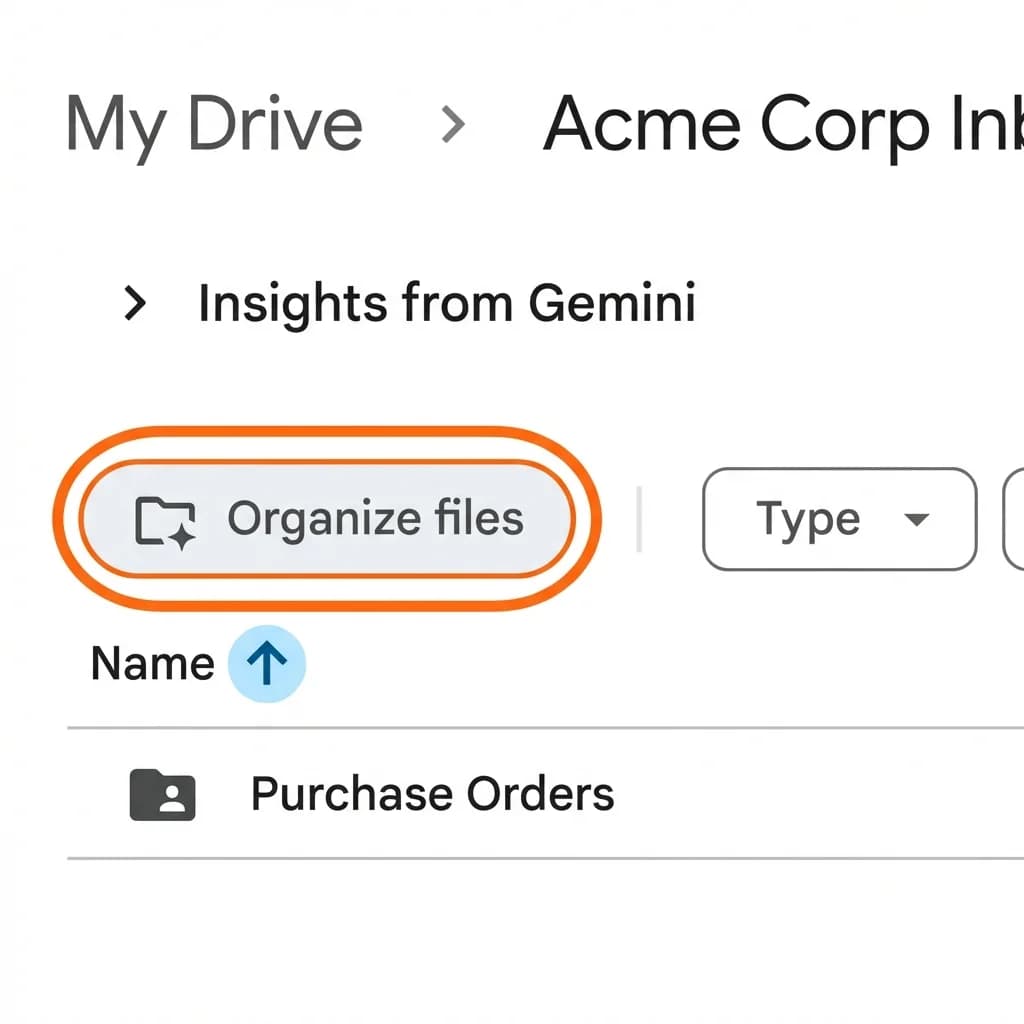
How it works under the hood:
Gemini uses semantic analysis to "read" the contents of the files in a specific folder. It identifies common themes—receipts, contracts, photos, resumes—and proposes a folder structure.
- Step 1: Scan & Suggest. Gemini looks at your 50 loose files and says, "I see 12 invoices and 5 slide decks."
- Step 2: Create Folders. It suggests creating folders named "Invoices" and "Presentations".
- Step 3: Move. If you accept, it moves the files into those subfolders.
The Limitation: It stops there. The file that started as IMG_8821.jpg is moved to /Receipts/IMG_8821.jpg. While your desk looks cleaner, your data is just as messy. (For a deeper look at why Gemini can't rename files, see our technical breakdown.)
The "Hidden Mess" Problem: Why Folders Aren't Enough
In the physical world, putting papers into a filing cabinet works because you can physically flip through a folder. In the digital world, we rely on Search.
Google Drive's search is powerful, but it relies heavily on OCR (Optical Character Recognition) search. If you search for "Acme Corp", Google might find 50 files that contain that text.
But which one is the Invoice from January? Which one is the Signed Contract? Which one is just an email draft mentioning Acme?
Without descriptive filenames, you're stuck in "Click-and-Peek" mode: opening file after file until you find the right one. A properly renamed file—2024-01-15_Invoice_AcmeCorp_Signed.pdf—tells you everything you need to know without ever opening it.
Renamed.to: The "Deep Clean" Approach
This is where Renamed.to takes a fundamentally different approach. We believe organization starts with the Data, not the container.
Renamed.to uses advanced Vision LLMs (Large Language Models) to extract structured data from your document's content and rewrite the filename itself.
| Feature | Gemini (Alpha) | Renamed.to |
|---|---|---|
| Core Philosophy | "Hide the mess in folders" | "Fix the mess precisely" |
| File Renaming | ❌ No (Keeps original) | ✅ Yes (Content-based) |
| Folder Organization | ✅ Yes (AI Suggestions) | ✅ Yes (Rule-based) |
| Automation | ❌ Manual Trigger | ✅ Continuous (Watch Folders) |
| Custom Rules | Fixed/Limited | ✅ Fully Custom Logic |
Real-World Scenarios: When "Moving" Isn't Enough
Let's look at three specific scenarios where Renamed.to's deep renaming capabilities solve problems that Gemini’s folder organization cannot touch.
Scenario 1: The Freelancer Tax Audit
The Chaos: You have a "Receipts 2023" folder. Inside, Gemini has helpfully moved all your files. They are named IMG_0991.HEIC, Scan_11.pdf, and Electronic_Receipt.pdf.
The Problem: Your accountant asks for "All Uber receipts over $50 from March." Sorting by name is useless. Sorting by date modified is unreliable (it shows when you uploaded it, not the receipt date). You have to open every single file.
The Renamed.to Fix:
Rule: {YYYY}-{MM}-{DD}_{Vendor}_{Category}_{Amount}.pdf
Result: 2023-03-12_Uber_Travel_65.50.pdf.
Now you can literally search "Uber" and see the amounts right in the filename.
Scenario 2: The Real Estate Brokerage
The Chaos: Agents upload contracts to a shared Drive. Gemini groups them into an "Agreements" folder.
The Problem: 10 different agents upload files named "Contract.pdf" or "Signed Agreement.pdf". When you download them to send to legal, you have five files named "Contract(1).pdf" through "Contract(5).pdf". You have no idea which property belongs to which file.
The Renamed.to Fix:
Rule: {Address} - {ClientName} - {DocType}.pdf
Result: 123-Main-St - Smith - PurchaseAgreement.pdf.
The file retains its context even when removed from the folder.
Scenario 3: The Marketing Agency
The Chaos: Designers and clients dump assets into "Project Kickoff".
The Problem: Finding the "Logo with transparent background" vs the "Logo with white background" requires opening them.
The Renamed.to Fix:
Rule: {Brand}_Logo_{Color}_{Background}.png
Result: Nike_Logo_Black_Transparent.png.
Technical Showdown: Generative AI vs. Structured Extraction
Why doesn't Google just add renaming? It's harder than it looks. Google's Gemini is primarily a Generative model—designed to create, summarize, and predict text.
If you ask a standard LLM to "rename these files," it often hallucinates. It might guess a date that isn't there, or make up a vendor name if the logo is blurry. Google knows this, which is why they are cautious about letting AI change your data.
Renamed.to uses a specialized pipeline:
- OCR & Layout Analysis: We map the physical location of text on the page.
- Structured Extraction: We don't just ask "what is this?"; we ask "Extract the 'Invoice Total' as a number".
- Validation: If a date looks like "2024-99-99", we flag it rather than renaming it blindly.
Step-by-Step: How to Automate Your Drive with Renamed.to
You don't need to choose between Google Drive and Renamed.to. They work best together. Here is the ideal workflow:
- Connect your Drive: Log in to Renamed.to and authorize access to your Google Drive.
- Choose a "Watch Folder": Create a folder named "To Rename" or "Inbox". Tell Renamed.to to monitor this specific folder.
- Set Your Rules: Tell us how you want files named. Use our visual builder or plain English instructions (e.g., "Rename invoices by date and vendor").
- Enable Automation: Turn on "Auto-Process".
- Forget About It: Now, you can save any messy scan to that folder. Minutes later, it will be renamed, titled, and moved to your structured archive folder.
Frequently Asked Questions
Is "Organize with Gemini" available to everyone?
No. As of early 2026, it is an Alpha feature available only to select Google Workspace Labs participants. There is no announced date for a general rollout.
Can Gemini rename files inside the folders it creates?
No. Gemini only creates folders and moves files. It does not alter filenames.
Is Renamed.to safe to use with my business documents?
Yes. Renamed.to processes files securely. We do not store your documents; we only process them to extract metadata and then discard the file content immediately. We are audited and compliant with industry standards.
Does Renamed.to replace Google Drive?
Not at all. Renamed.to is a layer on top of Google Drive. Your files stay in your Drive; we just make them organized and searchable.
How much does Renamed.to cost?
Renamed.to offers a free tier with 50 renames per month—no credit card required. Paid plans start at $9/month for individuals and scale for teams. Visit renamed.to/pricing for full details.
Can I try Renamed.to before committing?
Yes. You can start with 50 free renames per month, forever. No credit card, no trial expiration. If you need more, you can upgrade anytime.
Key takeaways
- Organize with Gemini (Alpha) groups files into folders but ignores the critical step of renaming them.
- Renamed.to uses "Deep Renaming" to extract dates, vendors, and amounts directly into filenames.
- For searchability, "Invoices/Scan.pdf" is useless compared to "Invoices/2024-01-Acme.pdf".
- Renamed.to offers proactive, continuous automation, while Gemini requires manual triggering.
Oleksandr Erm
Founder, Renamed.to
Writing about file management, productivity, and automation at Renamed.to.
Further reading
Beyond PDF: How We Built the Fastest Office-to-Image Converter for AI Document Processing
Renamed.to now supports Word, Excel, and PowerPoint documents. Learn how our custom office-to-image converter renders documents to images in under a second for AI-powered naming.
Now in 9 Languages: Use Renamed.to Your Way
Renamed.to now speaks your language. Available in English, German, French, Spanish, Portuguese, Italian, Japanese, Korean, and Polish—so you can organize files without the language barrier.
Google Drive Automation: Compared
Compare 4 ways to automate Google Drive file management. Apps Script, Zapier, Make, and AI renaming tested side-by-side with cost, setup time, and limitations.